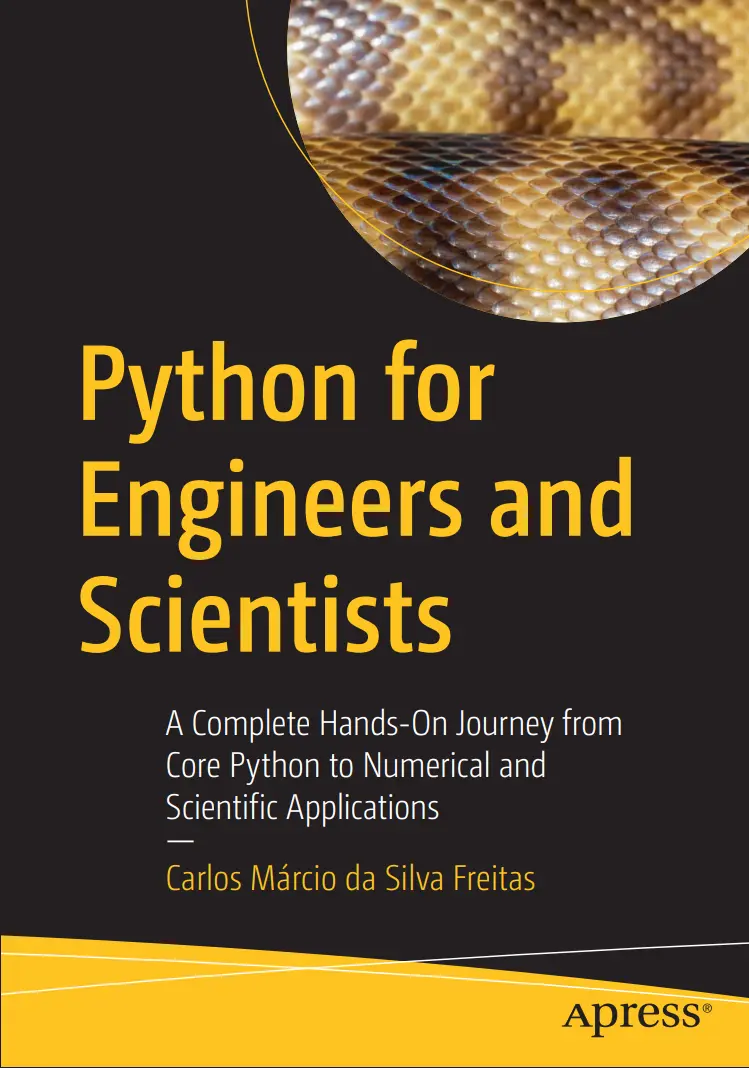
Python for Engineers and Scientists: A Complete Hands-On Journey from Core Python to Numerical and Scientific Applications
Автор: Freitas Carlos Márcio da Silva
Дата выхода: 2026
Издательство: Apress Media, LLC.
Количество страниц: 959
Размер файла: 6,3 МБ
Тип файла: PDF
Добавил: it-books
Table of Contents....5
About the Author....22
About the Technical Reviewer....23
Acknowledgments....24
Introduction....25
Chapter 1: Introduction....28
What Is Python?....28
A Brief History of Python....28
Ecosystem and Community....31
Inner Workings of Python....31
Lexical and Syntax Analysis....31
Bytecode and the Python Virtual Machine....32
CPython Implementation and Memory Management....32
Python Enhancement Proposal....34
Python Files and Folders....35
.py Files....35
pyproject.toml....36
.ini.cfg.config Files....36
setup.py....36
.yaml.yml....37
requirements.txt....37
.gitignore....37
MANIFEST.in....37
.env Files....38
.ipynb....38
.json....38
Makefile....38
README.md and CHANGELOG.md....39
Folder Organization....40
Installing Python....43
Installing Python on Windows....44
Solving PATH and Alias Issues on Windows....51
Installing Python on macOS via the .pkg File....56
Installing Python on macOS via Terminal....59
Installing Python on Linux....60
The Python Virtual Environment....61
How Does venv Work?....62
Creating a Virtual Environment....62
Choosing a Code Editor....64
The First Program....66
More About the print Function....66
Newline (n)....66
Separator (sep)....67
Line Ending (end)....67
Adding Symbols and Emojis....67
Getting Keyboard Data....71
The Importance of Structure: Indentation....71
Formatting Your Output with F-Strings....71
Formatting Your Output with T-Strings....73
Table of Useful Commands: Windows and macOSLinux....75
Python Project Management with UltraViolet (UV)....78
Installing UV....79
Using UV for Dependency Management....81
Main Commands in the uv Workflow....82
About the Lockfile....85
Practice Exercises....87
Answer Key....91
Chapter 2: Variables....98
Introduction....98
Variables and Types....99
Integers and Floating Numbers....100
Floating-Point Arithmetic Error....101
Mathematical and Utility Operators....102
Arithmetic Operations....102
Bitwise Operations....102
Conversion Methods....103
Representation Methods....103
Utility Methods....104
Built-In Functions....104
Making Comparisons....108
Working with Strings....110
Declaring Strings....110
Immutability of Strings....111
Indexing and Slicing Strings....111
String Operations....111
Converting Data Types....115
Explicit Typing with Type Hints....115
Explicit Type Conversion....115
Local and Global Variables in Python....122
Access Modifiers....122
Introduction to Collections....123
Overview of Collection Types....123
Summary of the Main Differences Between Collections....124
Practice Exercises....125
Answer Key....128
Chapter 3: Handling Collections....140
Lists....140
Creating Lists....140
Accessing and Modifying Elements....141
Methods for Lists in Python....142
Operations with Lists....143
len()....144
index()....144
index() for Nested Lists....144
Finding Elements....145
append() and remove()....145
extend()....145
insert()....146
pop()....146
clear() and del....147
sort() and reverse()....148
copy()....149
Remove Duplicates....149
count()....150
min() and max()....150
sum()....151
Membership Operators....151
Concatenation Operator....151
Repetition Operator....152
Slicing Operator....152
Equality Operators....153
Lists and the Equals Sign....153
Operations Between Lists....154
Nested List....155
Common Error Messages for List Methods....156
List Comprehension....156
Tuples....158
Accessing Elements....159
Methods for Tuples in Python....159
len()....161
index()....161
Concatenation ()....163
Repetition ()....163
Membership Operators....164
Slicing (:)....164
count()....164
sorted ()....165
Converting Back to a Tuple....165
Sum (sum())....166
min() and max()....166
Nested Tuples....167
Converting a Tuple to a List....167
Operations Between Different Tuples....167
Concatenation ()....168
Comparisons (, !, <, >)....168
Set....168
Common Operations with Sets....170
Adding and Removing Elements....171
Updating Elements....171
Operations Between Sets....171
Dictionary....173
Creating Dictionaries....174
Accessing and Modifying Data....174
Common Operations in a Dictionary....175
AddUpdate an Item....177
Delete an Item....177
Check for a Key....178
Get Length....178
get()....179
keys()....179
values()....180
items()....180
update()....181
pop()....181
popitem()....182
clear()....182
copy()....182
setdefault()....183
Comprehension....183
Operations Between Dictionaries....184
Practice Exercises....186
Answer Key....192
Chapter 4: Python Modules and Packages....204
Python Path and Modules Location....210
Types of Python Modules....213
Built-In Modules....213
Standard Library Modules....214
Third-Party Modules....215
Package Manager....215
Anaconda....216
Source Code....217
Using Poetry....219
Using a Wheel File....219
Dynamic Modules....219
Custom Modules....221
Compiled Modules....222
Importing Modules....224
Dynamic Import....230
Relative and Absolute Import....231
Importing Custom Modules in Different Directories....237
Chapter 5: Functions....240
Parameters and Arguments....242
Positional Arguments....244
Keyword Arguments....245
Default Arguments....246
Variable-Length Positional Arguments (args)....246
Variable-Length Keyword Arguments kwargs....247
Positional-Only Arguments....249
Keyword-Only Arguments....249
Unpacking Arguments....249
Combining Argument-Passing Methods....250
Lambda Expressions....250
Assigning a Lambda to a Variable....252
Using a Lambda with Built-In Functions....253
Using a Lambda in Sorting....254
Using Lambda Expressions in List Comprehensions....255
Using Lambda Expressions in Conditional Statements....255
Using Lambda Expressions in Dictionaries....256
Using a Lambda in Functions....257
Using any() and all()....257
Using Lambda Expressions in sorted() with Multiple Keys....258
Decorators ()....259
Chapter 6: Conditionals and Loops....263
Conditional Statements....263
Simplified if Statement....263
The if Statement with else....264
The if Statement with elif....265
While Loops....266
Loops with for....270
Jump Statements....275
Control Flow Statement with "break"....276
Control Flow Statement with "continue"....277
Using Jump Statements in Loops....278
Jump Statement with the break Keyword....278
Jump Statement with the continue Keyword....278
Jump Statement with the pass Keyword....279
Exception Handling....280
Chapter 7: Object-Oriented Programming....284
Object-Oriented Programming....287
Classes....288
Subclasses....293
OOP Concepts....295
Encapsulation....295
Abstraction....296
Inheritance....296
Polymorphism....297
Relationships Between Objects....298
Association....299
Aggregation....300
Composition....301
Attributes....302
Private and Protected Attributes....304
Dynamic Attributes and Static Attributes....306
Property Attributes....307
Methods....307
Instance Methods....308
Methods with Arguments....309
Class Method....310
Class Method: Alternative Constructors....310
Class Method: Factory Methods....311
Class Method: Class-Level Operations....311
Class Method: Inheritance and Polymorphism....312
Class Method: Utility Methods....313
Static Method....314
Abstract Method....314
Dunder Methods....315
Object Lifecycle....320
Attribute Access....320
Container Methods....321
Numeric Operations....322
Comparison Operators....322
Callable Objects....322
Constructor Method....323
super() Built-In Function....326
self and cls....327
Property Method....329
Decorators with OOP Principles....333
Dependency Injection....334
Dependency....334
Design Patterns....335
Dependency Injection....336
Walking Further in OOP....337
Chapter 8: Files and Paths....338
Overview of File Types in Python....338
Working with the open() Function....341
CSV Files....352
Creating and Editing Word and Excel Documents....359
Handling .xlsx Files....367
Filesystem Paths with pathlib....376
Chapter 9: Math....384
Math Built-In Modules....387
Math....387
Floating-Point Arithmetic....390
Floating-Point Manipulation Functions....390
Power, Exponential, and Logarithmic Functions....391
Summation and Product Functions....392
Angular Conversion....392
Trigonometric Functions....393
Hyperbolic Functions....393
Special Functions....393
Cmath....394
Decimal....402
Arithmetic Context....403
Fractions....411
Statistics....415
Random....421
Chapter 10: Matplotlib....424
Creating a Graph with Matplotlib....433
An Example of a Simple Graph....436
Graph Customizations....439
Lines and Spines....441
Text and Labels....442
Legends....443
Grid and Ticks....443
Scales....445
Linear Scale....448
Logarithmic Scale....450
Symmetric Logarithmic Scale....451
Logit Scale....453
Inverse Sine Hyperbolic Scale....455
Custom Scales....457
Chapter 11: NumPy....461
Introduction....461
Installation and Version Check....463
NumPy and SciPy....463
NumPy Subpackages....466
Data Types....467
NumPy Data Types: Examples....470
Python Objects in NumPy Arrays....474
Multidimensional Arrays and Matrices....474
Array Creation Patterns in NumPy....478
Accessing Elements in NumPy Arrays....485
Indexing in Different Dimensions....485
Indexing Errors....489
Array Properties....489
Array Inspection and Utility Functions....490
Operations on Arrays....494
Array Operation Families in NumPy....494
Arithmetic Operations....497
Unary Arithmetic....499
Rounding and Approximation....501
Arithmetic Helpers for Numerical Stability....502
Binary Arithmetic with Broadcasting....504
Complex Number Arithmetic....505
Aggregation and Reduction....506
Trigonometric, Hyperbolic, Exponential, and Logarithmic Functions....511
Logical, Boolean, Comparison, Sorting, Searching, and Set Operations....514
Linear Algebra Operations....518
Array Manipulation....523
NumPy: Common User Errors and Best Practices....528
Common User Errors in NumPy....528
Broadcasting and Shape Compatibility Errors....528
Indexing Errors....530
Type Conversion Issues....530
Memory Errors....530
View vs. Copy....530
Best Practices for NumPy....532
Use Vectorized Operations....532
Manage Memory Carefully....533
Use Appropriate Data Types....533
Use Memory-Mapped Arrays....534
Delete Arrays When No Longer Needed....535
Preallocate Arrays....536
Use Built-In Functions....537
Keep Arrays Contiguous....538
Additional Tips....538
Chapter 12: SciPy....541
A Look into Key Subpackages....543
Constants....543
Physical and Mathematical Constants....544
SI Prefixes....545
Unit Conversion....547
Differentiate....549
Derivative....550
Error Estimate....553
Controlling the Direction of Finite Difference Approximations....555
Preserve Shape....558
Jacobian....558
Hessian....559
FFT....560
1D Fourier Transforms....563
Function FFT....563
1D Inverse Fast Fourier Transform (IFFT)....570
1D FFT for Real Input (RFFT)....571
2D Fourier Transforms....574
2D Fast Fourier Transform (FFT2)....574
N-Dimensional Fourier Transforms....575
N-Dimensional Discrete Fourier Transform (FFTN)....576
Discrete Sine and Cosine Transforms (DST and DCT)....576
Discrete Cosine Transform (DCT)....577
Fast Hankel Transforms....582
Helper Functions....586
Centering Frequencies with fftshift and ifftshift....589
Analysis of the Frequency Spectrum with fftfreq....592
Backend Control....594
FFT-Based Filtering....607
Low-Pass Filter (FFT)....607
High-Pass Filter (FFT)....608
Band-Pass Filter (FFT)....610
Notch Filter (FFT)....611
Integrate....614
Improving Integration Performance....621
Calculating a Definite Double Integral....622
Solving ODEs....624
First-Order ODE....625
Second-Order ODE....628
Interpolate....630
Univariate Interpolation with Pchip....638
Interpolating Cubic Polynomial with CubicSpline....641
Multivariate Interpolation with griddata....643
B-spline Representation of 1D Data....646
2D Spline Interpolation....649
Rational Approximation and Additional Tools....651
Linalg....652
Basic Operations....653
Inverse Matrix....655
Solving Systems....656
Calculate the Determinant....658
Eigenvalue Problems....659
Compute Eigenvalues and Eigenvectors....660
Decompositions....664
Singular Value Decomposition....668
Matrix Functions and Equation Solvers....670
Matrix Exponential....672
Solving the Continuous Lyapunov Equation....673
Other Special Functions....674
Optimize....677
Local Multivariate Optimization....679
Global Optimization....686
Curve FittingLeast Squares....692
Signal....696
MATLAB Compatibilities....701
Example Codes....703
Filter Design (Butterworth)....703
Power Spectral Density with Periodogram....706
Design of a FIR Filter....709
LTI System Conversions....711
Convert a Transfer Function to Zero–Pole–Gain Form....712
Convert a Transfer Function to State-Space Form....714
Chapter 13: Graphical User Interfaces (GUIs)....717
User Interface Fundamentals....717
Command-Line Interface (CLI)....717
Graphical User Interface (GUI)....718
The Python GUI Ecosystem....719
Comparison of Python Libraries....719
Why Choose Kivy for Engineering?....720
Getting Started with Kivy....721
Installation and Modules....721
Architecture: Separating Logic (.py) and Design (.kv)....725
First Application: "Hello engineer!"....726
Layouts and Positioning Systems....729
Understanding Layouts....729
Common Layout Managers....730
BoxLayout....730
GridLayout....731
FloatLayout....733
RelativeLayout....734
AnchorLayout....735
Advanced Layouts....735
StackLayout....735
PageLayout....737
ScatterLayout....737
Absolute Positioning (Core Properties)....738
Relative Positioning (Hints)....740
Layout-Specific Positioning....743
Kivy Widgets Catalog....744
Overview of Widgets and Events....744
Button....753
CheckBox....755
Progress Bar....757
Label....759
Slider....761
Text Input....763
Switch....766
Popup....767
Spinner....769
Image....770
Practical Project: Temperature Converter....775
Project Goal and Architecture....775
Complete Application Code....775
Code Walkthrough....778
Chapter 14: Introduction to the Pandas Library for Engineering....782
Installing the Pandas Library....784
Fundamental Pandas Data Structures....785
Reading and Importing Data....787
Reading CSV Files....787
Reading Excel Files....788
Inspecting and Exploring Data....790
Selecting Data in a DataFrame....793
Column Selection (Series vs. DataFrame)....793
Row Filtering with Logical Conditions....795
Data Manipulation and Cleaning....796
Creating New Columns....796
Removing Columns....798
Handling Missing Values (NaN)....799
Changing Data Types....802
Statistical Analysis and Grouping....804
Descriptive Statistics....804
Grouping Data with groupby()....805
Sorting and Combining DataFrames....807
Sorting Data....807
Combining DataFrames (Merge and Join)....809
Concatenating DataFrames....811
Exporting Data....812
Exporting Data to CSV....813
Exporting Data to Excel....813
Exporting to Other Formats....814
Basic Data Visualization with Pandas....814
Line and Scatter Plots....815
Engineering Line and Scatter Plots....817
Histograms and Bar Charts....820
Chapter 15: Control Systems with Python....824
Dynamic System Control....824
System Creation....830
Create a State-Space System....830
Create a Transfer Function....832
Frequency Response Data....833
Create a Nonlinear System....835
Create a Transfer Function from Zeros, Poles, and Gain....837
Model Conversions and Interconnections....838
Convert a System into a Canonical Form....838
Series Connection of IO Systems....840
Parallel Connection of IO Systems....841
Time-Domain Analysis....842
Forced Response of a Linear System....843
Compute the Impulse Response for a Linear System....845
Compute the Step Response for a Linear System....847
Plot a Phase Plane Diagram....848
Frequency-Domain Analysis....850
Bode Plot for a System....851
Nyquist Plot for a System....852
Nichols Plot for a System....853
Find the First Frequency at Which Gain Drops by 3 dB....855
Return the Zero-Frequency (or DC) Gain....855
Calculation....855
Calculate Gain and Phase Margins and Associated Crossover Frequencies....856
Calculate Stability Margins and Associated Crossover Frequencies....857
System Properties....858
Compute System Poles....858
Compute System Zeros....859
Controller Design....859
Root Locus Plot....860
Pole Placement Using Ackermann's Method....861
Nonlinear Systems....862
Find an Operating Point for a Nonlinear System....862
Linearize an InputOutput System at a Given State and Input....864
Control Theory....865
Calculate the Controllability Matrix....865
PID Controller Design....866
PID Design with Pole Allocation....867
Simple PID Analyzer....868
Using a Transfer Function....868
Using State-Space Matrices....870
PID Design by Pole Allocation with a Transfer Function....873
First-Order Systems....874
Second-Order Systems....874
PID Design by Pole Allocation with State Space....881
Define the Original System with Open-Loop....885
Build the Augmented System for Integral Control....886
Define Desired Poles and Compute Gain....887
Extract and Print the Equivalent PID Gains....887
PID Design with the Root Locus Method....890
Define Plant and Controller Structure....893
Open-Loop System....894
Root Locus and Gain Selection....894
Final PID Controller Parameters....895
PID Design by Frequency Response....897
Chapter 16: Databases Using SQLAlchemy....908
Databases and SQLAlchemy....908
Databases in Engineering Applications....908
Types of Databases and Engineering Use Cases....909
Why Use an ORM in Engineering Projects....910
Overview of SQLAlchemy....910
Getting Started with SQLAlchemy....911
Installing SQLAlchemy with pip....911
Database Connection and Engine Creation....912
The SQLAlchemy Engine Concept....912
Connection Strings and Database Dialects....913
SQLite As a Prototyping Database....914
Engineering Example: Wind Turbine Monitoring Database....914
Sessions: The Gateway to Your Database....915
Understanding Sessions and Transactions....916
Creating Sessions with sessionmaker....917
Declarative Base and ORM Infrastructure....917
Defining Data Models for Engineering Applications....918
ORM Models and Table Mapping....919
Engineering Example: Turbine and SensorReading Models....919
Turbine Model Definition....919
SensorReading Model Definition....919
Relationships and Table Creation....920
CRUD Operations for Engineering Data....921
Create: Logging New Sensor Readings....922
Read: Querying Engineering Data....922
Update: Correcting Erroneous Measurements....923
Delete: Removing Obsolete Records....923
Complete SQLAlchemy Example....924
Full Wind Turbine Monitoring Script....925
Bibliographic References....928
Chapter 1: Introduction....928
Chapter 2: Variables....929
Chapter 3: Handling Collections....929
Chapter 4: Python Modules and Packages....930
Chapter 5: Functions....930
Chapter 6: Conditionals and Loops....931
Chapter 7: Object-Oriented Programming....931
Chapter 8: Files and Paths....932
Chapter 9: Math....933
Chapter 10: Matplotlib....934
Chapter 11: NumPy....934
Chapter 12: SciPy....935
Chapter 13: Graphical User Interfaces (GUIs)....935
Chapter 14: Introduction to the Pandas Library for Engineering....936
Chapter 15: Control Systems with Python....936
Chapter 16: Databases Using SQLAlchemy....937
Index....938
This bookequips technical professionals with a complete, structured path to mastering Python for real-world engineering and scientific applications. As Python becomes central to research labs, automation, simulation, and data-driven engineering, the learning curve remains steep. This book bridges that gap with a practical roadmap from fundamentals to professional-grade scientific computing.
The book begins by building a strong programming foundation—covering Python’s architecture, essential syntax, data structures, modules, functions, control flow, and object-oriented design. Readers learn not only how to write Python, but why the language behaves the way it does, ensuring deep understanding and strong problem-solving skills. From there, the focus shifts to practical engineering tools. Dedicated chapters train readers in file handling, math modules, and key scientific libraries including NumPy, SciPy, Pandas, and Matplotlib, enabling efficient computation, signal processing, data analysis, and high-quality visualization. Advanced chapters then showcase Python’s versatility through GUI development with Kivy, database work with SQLAlchemy, and hands-on control system modeling and analysis. Each topic is rooted in industry and academic scenarios, making the content directly applicable to automation, simulation, data workflows, and engineering computation.
Whether you're a student building foundational skills or a professional modernizing engineering workflows, this guide provides the programming depth, scientific tools, and applied knowledge needed to use Python confidently for prototyping, simulation, analysis, and automation. It is the one-stop resource for mastering Python in technical disciplines.
What you will learn:
- Learn core Python programming concepts, including variables, loops, functions, and object-oriented principles in a scientific and engineering context.
- Build strong skills in key scientific Python libraries such as NumPy, Pandas, Matplotlib, and SciPy for computation, analysis, and visualization.
- Apply Python to real-world engineering scenarios, including dynamic control systems and automation workflows.
- Develop interactive engineering applications by creating graphical user interfaces (GUIs) with Kivy.
Who this book is for:
This book is intended for practicing engineers and scientists across various disciplines of engineering who need to use Python for complex problem-solving, simulation, and data analysis in their work.


